You’re halfway through a paragraph when a song catches your ear. What’s it called? A few minutes later, you want to skip a track. Then someone needs your attention, and you reach for pause.
If music is on for most of your day, these little moments are familiar. The player might be behind your editor, on another desktop, or tucked into a browser tab among twenty others.
We built NowPlayingWidget to give your music a small, familiar place on your Mac. It puts the current song, album artwork, and playback controls in a floating card that stays above your windows. Keep your document, project, or reading open, and keep the soundtrack within reach.
The real app, in 28 seconds
A glance.
A click.
Back to your day.
Here’s NowPlayingWidget controlling playback in Music on a Mac.
- See the current track in Normal size.
- Pause, resume, and skip to the next song.
- Switch to Compact, then Full, to see how each fits.
The recording is silent, so you can watch without interrupting whatever you’re listening to.
Read the demo transcript
Morning Focus plays in Music with the widget in Normal size. Playback pauses and resumes. The next-track button changes the song to After Hours, and the artwork updates. The recording shows Compact and Full sizes, then invites you to try the app free for 14 days.
For the way you already listen.
Start your playlist in Apple Music or Spotify, or play something in a compatible browser tab. NowPlayingWidget uses the playback information those sources share with macOS. There’s no separate music library to manage and no need to connect each listening service to the widget.
While you write, code, answer email, or browse, you can see what’s playing and reach the controls. When you do want the player itself, click the source-app icon to bring it forward.
Support depends on what the app or website shares with macOS Now Playing. Track details and available controls can vary, so the free trial is a good way to check your own daily listening setup.
Pick the amount of music on your desk.
A small laptop screen and a roomy desktop call for different things. The three sizes let you decide how much space to give the song.
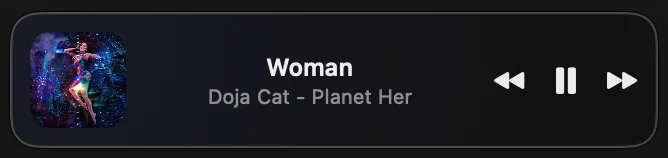
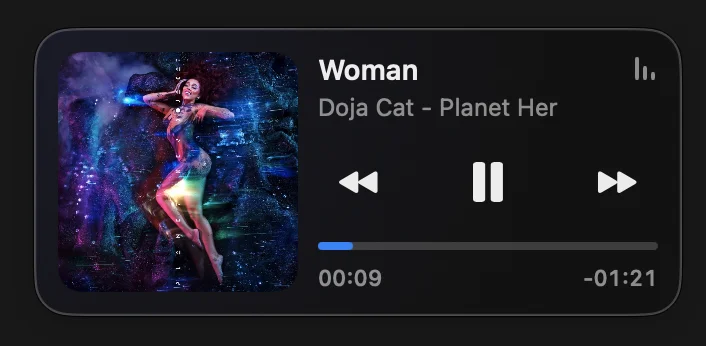
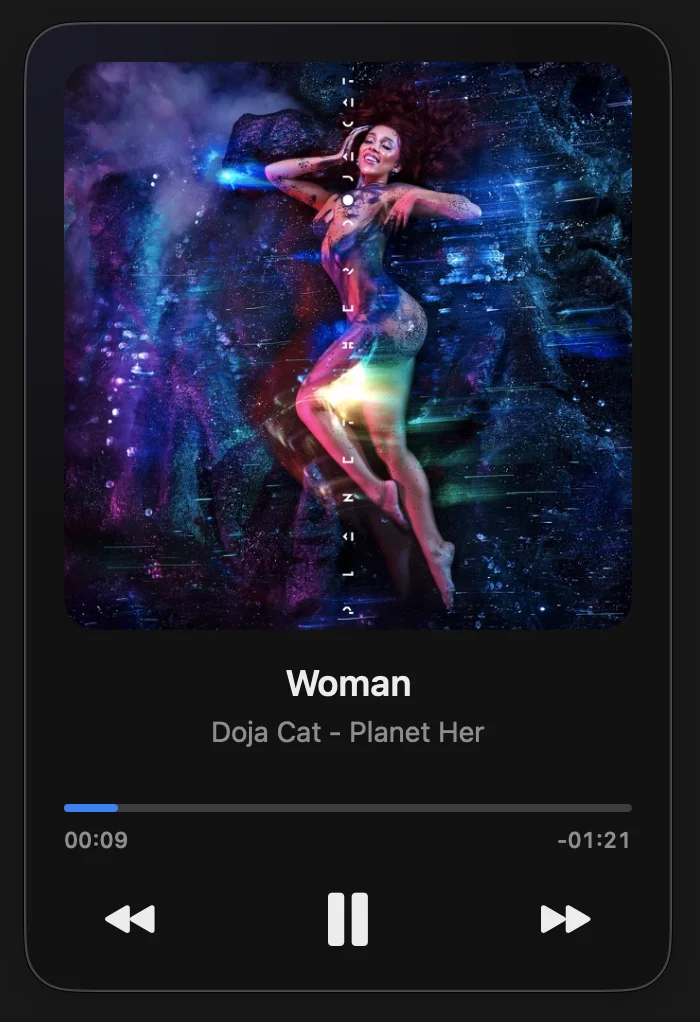
A little more of the song.
The widget’s ambient glow takes its color from the album art. When a matching synced lyric is available, you can follow the words line by line over the artwork. And if a good track passed by while you were busy, Play History keeps a local record of tracks picked up while the app is running.
History stays on your Mac. Lyrics are looked up through external services using track metadata; license checks and updates also use online services. You don’t need a separate NowPlayingWidget account.
Put it beside your next playlist
Try it during your next workday.
Download NowPlayingWidget, move it to Applications, and open it. Start some music in your usual player, choose a widget size, and settle into whatever you’re doing.
Try the full app free for 14 days, with no card required. If it earns a place on your desktop, a license is US$5.99 once for up to five Macs. No subscription.
Requires macOS 13 or later and Apple Silicon (M1 or newer). Distributed as a Developer ID signed, Apple-notarized download. Price checked September 18, 2026; applicable tax is shown at checkout.